
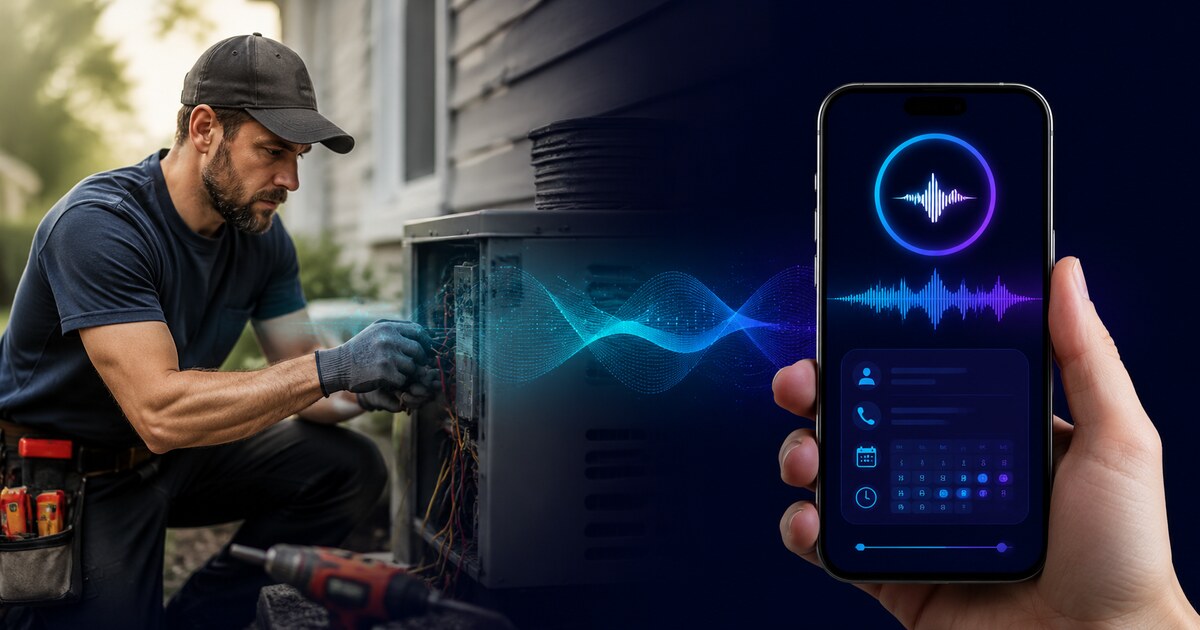
A contractor who's on the roof at 2 PM and misses a call from a homeowner with an urgent job is losing business. An AI receptionist answers that call, gathers the customer's information, and makes sure the opportunity doesn't disappear. That much is real and genuinely useful.
But I've also seen contractors set up AI receptionists poorly — using overly robotic voices, failing to configure them with accurate business information, or deploying them in situations where customers expected a human and got frustrated instead. Used correctly, they're a useful tool. Used carelessly, they can damage first impressions with customers who were ready to hire you.
What an AI receptionist actually is
An AI receptionist for contractors is a system that answers calls you can't pick up, converses with the caller using natural language, gathers key information (name, phone, what they need, where they're located), and either transfers to you if you're available or sends you a complete summary so you can follow up immediately.
Modern AI receptionists — the good ones — sound significantly better than the hold-music-and-press-1 systems of a decade ago. They handle natural conversation, respond to questions about your business, and don't require callers to navigate menu trees. Most callers know they're talking to an AI, but the experience is smooth enough that they stay on the call and leave their information.
The best implementations function as a first contact layer: they handle the call, qualify the lead, and hand off to you with a clean summary. You still close the job.
What AI receptionists do well for contractors
After-hours and overflow coverage
The clearest use case. Calls at 6 PM on a Tuesday or 9 AM on a Saturday when you're already on a job don't have to go to voicemail. The AI answers, gathers the caller's information, and you have a qualified lead waiting for you when you have a moment — instead of a missed call with no information.
Consistent first impressions
For many contractors, the alternative to an AI receptionist isn't a human receptionist — it's a voicemail box or a call that rings out. An AI that answers politely, sounds professional, and gets the caller's information is a significant upgrade over either of those alternatives.
Lead qualification
A well-configured AI can gather the information you need before you call back: what service they need, the location, whether they own or rent, what their timeline is. You go into the callback knowing whether it's worth your time and what to expect.
Handling high call volume during busy periods
Spring and fall are peak season for many trades. If you're getting more calls than you can answer while also running jobs, an AI layer handles the overflow without the calls bouncing.
What they can't do
Close jobs
The AI can gather information and schedule a callback. It can't walk a homeowner through a quote or handle the back-and-forth of booking a job with complex logistics. That's still you.
Handle complaints well
An unhappy customer who calls to complain about a problem with your work needs a human. Routing them to an AI — even a good one — adds friction to an already emotionally charged situation. Configure your AI to escalate calls where the caller is expressing frustration.
Replace the human moment in high-value situations
A homeowner calling about a large job — a full bathroom renovation, a roof replacement, an HVAC system — is making a significant financial decision. Many of these callers want to feel like they've connected with a real person who cares about their project before they commit to moving forward. An AI can get the information, but you need to follow up fast. Which brings us to...
How to set one up so it actually helps
The configuration matters enormously. A poorly configured AI receptionist can hurt you more than no receptionist at all. The key steps:
Give it accurate business information
What services do you offer? What areas do you serve? What are your hours? What's your typical process for booking a job? The AI needs to be able to answer these questions accurately. If a caller asks "do you do concrete work?" and the answer is no, the AI needs to say that — not give a vague non-answer that leaves the caller confused.
Set the right transfer rules
For emergency calls — burst pipe, no heat in winter, electrical sparks — the AI should attempt to transfer to you immediately, not collect information and send a summary. Configure your emergency keywords and transfer behavior before going live.
Keep the intro short
Long AI introductions frustrate callers. Get to the point: "Hi, this is [Business Name], I can help you today — what are you calling about?" is better than a 20-second explanation of what the AI is.
Follow up within minutes
The AI buys you time — not much. The effectiveness of an AI-captured lead drops significantly with every passing hour before you follow up. Build the discipline of checking AI-captured leads frequently and returning calls the same day. For context on response time expectations, see our guide on how quickly you should respond to leads from Angi and Thumbtack — the same principles apply here.
AI receptionist included in TradeZIP Growth and Complete plans
TradeZIP's AI receptionist answers calls, qualifies leads, and sends you a complete summary so you can follow up fast — even when you're on the job.
See plans and get started →Cost reality check
Standalone AI receptionist services typically run $50–$300/month depending on call volume and feature set. Bundled with a contractor platform that also handles your website, local SEO, and lead management, the effective cost is lower — the AI is one component of a system rather than a standalone subscription.
The ROI math is straightforward: one additional booked job per month that would otherwise have gone to voicemail covers the cost of most AI receptionist plans. For contractors working in higher-value trades or handling emergency calls, the math is even better.
What customers actually experience
Most callers today have interacted with AI phone systems. Expectations have shifted — callers don't necessarily expect a human, they expect to get their information taken and a callback. What they don't tolerate: long wait times within the call, being asked to repeat themselves, or getting an AI that can't answer basic questions about the business they just called.
A well-configured AI receptionist that answers quickly, sounds natural, and gets the caller's information accurately is a positive first impression. A poorly configured one — with a robotic voice, incorrect business information, or excessive menu navigation — sends callers to your competitor.
The parallel with your website is worth noting: just as a website with the right conversion elements outperforms one that's just filling space, an AI receptionist configured for your specific business outperforms a generic out-of-the-box setup.
Key takeaways
- AI receptionists are genuinely useful for contractors who miss calls during jobs — they capture leads that would otherwise go to voicemail with no information.
- They work best for after-hours coverage, overflow during busy periods, and consistent first impressions when a human receptionist isn't an option.
- They can't close jobs, handle complaints well, or replace the human moment in high-value customer conversations.
- Configuration is everything: accurate business information, correct transfer rules, and short intros make the difference between a useful tool and one that frustrates callers.
- Follow up on AI-captured leads fast. The AI buys you time — not much of it.
Frequently asked questions
Will customers be annoyed that they're talking to an AI?
Some will be, some won't notice, most don't mind if the experience is smooth. The alternative — voicemail or a call that rings out — is generally worse for customer experience than a competent AI that gets their information and ensures a callback. What customers find frustrating is a bad AI experience, not an AI experience per se.
Can an AI receptionist book appointments?
Some can, if connected to your calendar system. The quality of the booking experience varies significantly by platform. For most contractors, the more realistic use case is lead capture and qualification, with the contractor confirming and booking the appointment during the callback.
Related reading
Never miss a call while you're on the job
TradeZIP's AI receptionist answers calls, qualifies leads, and sends you a complete summary — included in Growth and Complete plans.
See plans →